Mastering Depth in Digital Lettering: A Practical Review of the Astrid Procreate Shadow Brush
Digital lettering has evolved from simple typography into a complex art form where depth, dimension, and texture play pivotal roles. For artists working within the iPad ecosystem, achieving consistent, professional-looking shadows can often be the most time-consuming aspect of the design process. This is where specialized tools like the Astrid Procreate Shadow Brush enter the workflow. Designed specifically for the Procreate application, this custom brush set aims to streamline the creation of drop shadows and dimensional effects, offering a balance between automation and artistic control.
For designers, illustrators, and hobbyists aged 20 to 50 who are evaluating their digital toolkit, understanding the specific utility of a dedicated shadow brush is essential. It is not merely about adding a dark layer behind text; it is about creating a cohesive visual language that enhances readability and aesthetic appeal. This article explores the functionality of the Astrid brush, compares it to manual methods and broader alternatives, and helps you determine if it fits your specific creative needs.
Understanding the Core Functionality
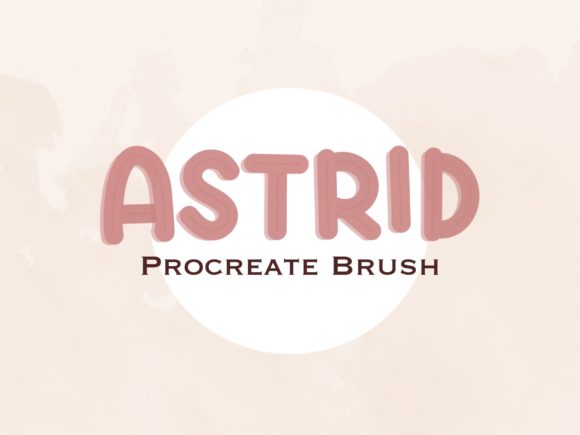
The Astrid Procreate Shadow Brush is a digital asset distributed as a .brushset file. Unlike standard raster images or vector files, this format integrates directly into the Procreate interface on iPad. Its primary distinction lies in its engineered response to pressure and tilt, allowing users to create uniform shadow shapes that mimic traditional media such as marker pens or chalk, depending on the specific configuration of the brush engine.
What makes this tool distinct is its focus on "lettering design with shadow." General-purpose brushes in Procreate are versatile but often require significant tweaking to achieve a consistent shadow width and opacity. The Astrid brush is pre-configured to reduce this friction. By using a single stroke, artists can generate a shadow that aligns naturally with the foreground lettering, maintaining a consistent angle and density. This consistency is crucial for professional-grade work where irregularities can distract the viewer.
Installation is straightforward, reflecting the user-friendly nature of modern digital assets. Once downloaded, the file resides in the iPad’s Files app. Tapping the .brushset file automatically imports it into Procreate, eliminating the need for complex file management or third-party conversion tools. This ease of access lowers the barrier to entry for artists who may not be technically inclined but wish to elevate their design quality.
Comparative Analysis: Dedicated Brushes vs. Manual Techniques
When evaluating whether to adopt the Astrid Procreate Shadow Brush, it is helpful to compare it against the two most common alternatives: manual shadow creation and generic round brushes.
Manual Creation and Layer Duplication
Traditionally, digital artists create shadows by duplicating the text layer, changing its color to black or gray, blurring it, and offsetting the position. While this method offers maximum control, it is non-destructive only if managed carefully and can be rigid. Adjusting the angle of the light source requires re-doing the entire transformation. Furthermore, manual masking is often required to ensure the shadow interacts correctly with overlapping letters. The Astrid brush, by contrast, allows for a more organic, hand-drawn feel that reacts to the artist’s hand movement, providing a natural variation that automated layer effects often lack.
Generic Round Brushes
Many artists attempt to create shadows using standard round brushes with opacity reduced. The tradeoff here is consistency. Maintaining a uniform distance between the letter and the shadow while keeping the width constant requires a high level of steady-hand skill. Inconsistencies in line weight can make the design look amateurish. The Astrid Procreate Shadow Brush mitigates this by stabilizing the stroke and enforcing a specific texture profile, ensuring that even quick sketches maintain a polished appearance.
Strengths and Ideal Use Cases
The primary strength of this tool is efficiency without sacrificing the "hand-made" aesthetic. It is particularly well-suited for:
- Social Media Graphics: Where speed is essential, and designs need to pop against busy backgrounds.
- Quote Illustrations: Projects that rely heavily on typography benefit from the added depth, making the text stand out as a central visual element.
- Logo Concepts: Rapid prototyping of logo ideas where dimensional effects are needed to visualize the final brand identity.
For professionals who produce high volumes of content, the ability to add a polished shadow effect in seconds rather than minutes translates to significant time savings. The brush’s design encourages experimentation, allowing artists to test different shadow angles and intensities quickly during the ideation phase.
Limitations and Considerations
While the Astrid Procreate Shadow Brush offers considerable benefits, it is not a universal solution for all shading needs. Understanding its limitations is key to making an informed purchase decision.
Platform Restriction: This tool is exclusively compatible with the Procreate app on iPad. Artists working on Android tablets, desktop software like Adobe Photoshop or Illustrator, or web-based design tools cannot utilize this asset. If your workflow is cross-platform, relying on a Procreate-specific brush may create fragmentation in your process.
Stylistic Specificity: The brush is optimized for a particular look—likely a soft, blended, or marker-style shadow. If your design requires hard-edged, geometric shadows or complex multi-light-source rendering, a dedicated shadow brush may feel restrictive. In such cases, manual vector tools or layer styles in desktop software might offer the precision required.
Digital Nature: As a digital download, there is no physical product. Users must be comfortable managing digital files and troubleshooting installation issues independently, although support is typically available from the creator. Additionally, the license usually prohibits resale or redistribution, meaning the value is strictly in personal or commercial use within your own projects, not as a resellable asset.
Decision Factors: Is This Tool Right for You?
Choosing the right digital tool depends on your current skill level, workflow, and artistic goals. Here are several factors to consider when evaluating the Astrid Procreate Shadow Brush:
- Frequency of Typography Work: If lettering is a core part of your portfolio, a specialized brush pays for itself in time saved. If you rarely work with text, a standard brush may suffice.
- Desired Aesthetic: Review examples of the brush in action. Does the texture and weight align with your brand or artistic style? If you prefer ultra-clean, vector-like precision, a hand-drawn brush might introduce unwanted organic variance.
- Learning Curve: While easier than manual shading, any new brush requires practice to master pressure sensitivity and angle consistency. Are you willing to invest time in learning the nuances of this specific tool?
- Budget and Value: Compare the cost of this single brush set against broader brush packs. Sometimes, a comprehensive pack offers better value if you need varied textures beyond just shadows. However, if you only need high-quality shadows, a focused tool like Astrid avoids the clutter of unused assets.
Integrating the Brush into Your Workflow
To get the most out of the Astrid Procreate Shadow Brush, consider integrating it into a layered workflow. Start with your base lettering on one layer. Create a new layer beneath it for the shadow. Use the Astrid brush to trace the outline of your letters, paying attention to a consistent light source direction. Because the brush is designed for ease, you can focus on the flow of the letterforms rather than the technical mechanics of shadow creation.
Experiment with opacity and blend modes. Even with a specialized brush, adjusting the layer opacity can help the shadow sit more naturally within the composition. Combining the brush with subtle Gaussian blurs can further enhance the depth, mimicking the way light diffuses in real-world environments.
Final Thoughts on Digital Efficiency
The Astrid Procreate Shadow Brush represents a targeted solution for a common challenge in digital lettering. It bridges the gap between the speed of automated effects and the authenticity of hand-drawn art. For iPad-based artists looking to refine their typography game, it offers a practical, efficient, and aesthetically pleasing option. However, it is essential to recognize its platform constraints and stylistic focus. By weighing these factors against your specific project requirements, you can determine whether this tool is the right addition to your digital arsenal. As with any creative resource, the best choice is the one that seamlessly supports your vision while enhancing your productivity.