Unlocking Creative Flow with the Nice Ball Brush
Digital art and design have evolved rapidly, moving away from rigid, pixel-perfect lines toward more organic, expressive textures. In this shift, specialized tools like the Nice Ball Brush have become essential assets for creators who want to add depth, whimsy, or tactile realism to their work. Whether you are a seasoned illustrator, a graphic designer working on branding materials, or a hobbyist exploring digital painting for the first time, understanding how to leverage unique brush presets can significantly elevate your output.
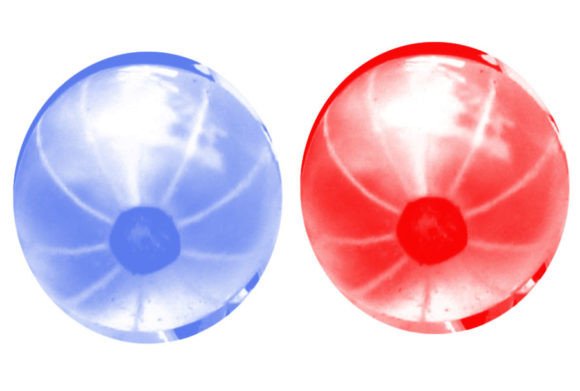
The Nice Ball Brush is not just another standard round tool. It is designed to mimic the soft, rounded edges of physical media, offering a distinct pressure sensitivity and texture that standard default brushes often lack. When you download this resource, typically distributed as a convenient ZIP file containing .brushes or .swatches, you are gaining access to a single, highly optimized tool that simplifies complex texturing tasks. This article explores how this specific brush fits into various creative workflows and why it might be the missing piece in your digital toolkit.
Beyond the Default: Why Specialized Brushes Matter
Most digital artists start with the default library provided by software like Adobe Photoshop, Procreate, or Clip Studio Paint. While these defaults are functional, they often feel sterile. The Nice Ball Brush introduces a level of character that helps break the "digital look." Its primary strength lies in its ability to create soft, cohesive shapes that retain a hand-drawn feel without requiring hours of manual refinement.
For professionals, time is money. A brush that naturally produces desirable textures reduces the need for post-processing effects like noise overlays or manual blending. By integrating the Nice Ball Brush into your workflow, you streamline the creation of elements that require softness and volume, such as clouds, foliage, fabric folds, or abstract background elements. The efficiency gain is immediate: what might take ten minutes to paint manually with a hard round brush can be achieved in seconds with the right preset.
Real-World Applications Across Industries
The versatility of the Nice Ball Brush extends far beyond traditional illustration. Its utility spans several industries where visual communication is key. Here is how different creators are utilizing this tool in practical scenarios.
Children’s Book Illustration and Character Design
In children’s literature, warmth and approachability are paramount. Hard edges can sometimes feel cold or aggressive. The Nice Ball Brush excels here because its soft, rounded tips create inviting, plush-looking characters. Illustrators use it to define the contours of animals, toys, or fantastical creatures, giving them a stuffed-animal quality that resonates with young audiences. Furthermore, it is excellent for creating soft lighting effects around characters, helping them pop against the background without harsh outlines.
UI/UX Design and Iconography
Modern user interface design has moved toward softer, more organic aesthetics, often referred to as "soft UI" or "neumorphism." Designers need tools that can create subtle shadows and highlights quickly. The Nice Ball Brush allows UX designers to paint custom icons or decorative elements that feel tactile. Instead of relying solely on vector shapes, which can look generic, using this brush adds a human touch to app interfaces, making digital products feel more friendly and less mechanical.
Concept Art and Environment Painting
Concept artists often need to block out ideas rapidly. The Nice Ball Brush is invaluable for speed-painting environments. It is particularly effective for rendering distant foliage, rocky textures, or atmospheric perspective. Because the brush handles opacity and flow smoothly, artists can layer colors to build depth without muddying the palette. For example, when painting a forest scene, an artist can use the brush to dab in clusters of leaves, relying on the brush’s inherent texture to do the heavy lifting rather than painting every individual leaf.
Technical Considerations and Best Practices
While the Nice Ball Brush is powerful, it is not a magic wand. Understanding its limitations and optimal settings ensures you get the best results. Since the download includes a single brush file (either .brushes for Photoshop or .swatches for other platforms), installation is straightforward, but configuration requires attention.
Pressure Sensitivity is Key. This brush relies heavily on tablet pressure data. If you are using a mouse, you will not unlock its full potential. Ensure your tablet drivers are updated and that pressure sensitivity is enabled in your software. The brush is designed to respond to light touches with faint, airy marks and heavy pressure with dense, solid coverage. Mastering this dynamic range is crucial for achieving professional results.
Canvas Resolution Matters. Like all digital brushes, the Nice Ball Brush behaves differently depending on your canvas size. On a high-resolution canvas (300 DPI or higher), the texture will appear finer and more detailed. On lower resolutions, the same brush stroke may look pixelated or overly blobby. Always test the brush on a small corner of your canvas before committing to large strokes. Adjusting the brush size relative to your canvas dimensions is a simple but critical step.
Layer Blending Modes. To maximize the utility of this brush, experiment with layer blending modes. Using the brush on a layer set to "Multiply" can create rich, deep shadows, while "Screen" or "Overlay" modes can produce glowing, ethereal highlights. Many users find that combining the Nice Ball Brush with textured paper backgrounds enhances its organic feel, bridging the gap between digital and traditional media.
Who Benefits Most from This Tool?
Identifying whether this brush fits your needs depends on your current workflow and artistic goals.
- Beginners: If you are struggling with control issues or finding that your digital paintings look flat, the Nice Ball Brush offers a forgiving medium. Its soft edges hide minor mistakes in line work, allowing you to focus on composition and color theory rather than perfect precision.
- Professional Illustrators: For those looking to diversify their style, this brush provides a quick way to experiment with softer, painterly techniques without investing in new hardware or extensive training. It serves as an excellent shortcut for adding texture to otherwise clean vector or line-art-based pieces.
- Graphic Designers: Designers who frequently create social media graphics, posters, or marketing materials can use this brush to add unique, hand-crafted elements that stand out in a feed dominated by stock photography and rigid templates.
Potential Limitations to Keep in Mind
No tool is perfect for every scenario. The Nice Ball Brush, by design, lacks the sharp precision needed for technical drafting, architectural renderings, or fine-line typography. If your project requires crisp, geometric accuracy, this brush should be used sparingly, perhaps only for adding subtle texture to backgrounds rather than defining primary shapes.
Additionally, because it is a single-brush download, it does not offer the variety of a massive brush pack. Users seeking hundreds of variations for every conceivable texture may find this limiting. However, the focused nature of this tool is also its strength. It encourages mastery of one versatile instrument rather than superficial experimentation with dozens of mediocre ones.
Integrating the Nice Ball Brush into Your Workflow
To get started, download the ZIP file and extract the contents. Install the .brushes or .swatches file according to your software’s instructions. Once installed, create a new test layer. Start with a mid-tone color and practice varying your pressure. Notice how the brush transitions from transparent to opaque. Try layering different colors to see how they blend.
Consider creating a custom workspace preset that includes this brush alongside your favorite mixing tools. This reduces friction and keeps you in the creative flow. Remember, the goal is not to let the brush dictate your style, but to use it as an extension of your intent. With practice, the Nice Ball Brush becomes an intuitive part of your digital hand, enabling you to create work that feels both polished and authentically human.
In a digital landscape saturated with generic assets, tools that offer distinct character are invaluable. The Nice Ball Brush provides a simple yet effective way to inject warmth, texture, and professionalism into your projects. Whether you are designing a logo, illustrating a story, or simply experimenting with color, this tool invites you to slow down and enjoy the process of creation.